
LTSPICE
LTspice models for simple and complex components are all saved in the lib folder in your ltspice installation
or ..
another place
how to localize lib folder
Open ltspice
 |
New Schematics (in File menu)
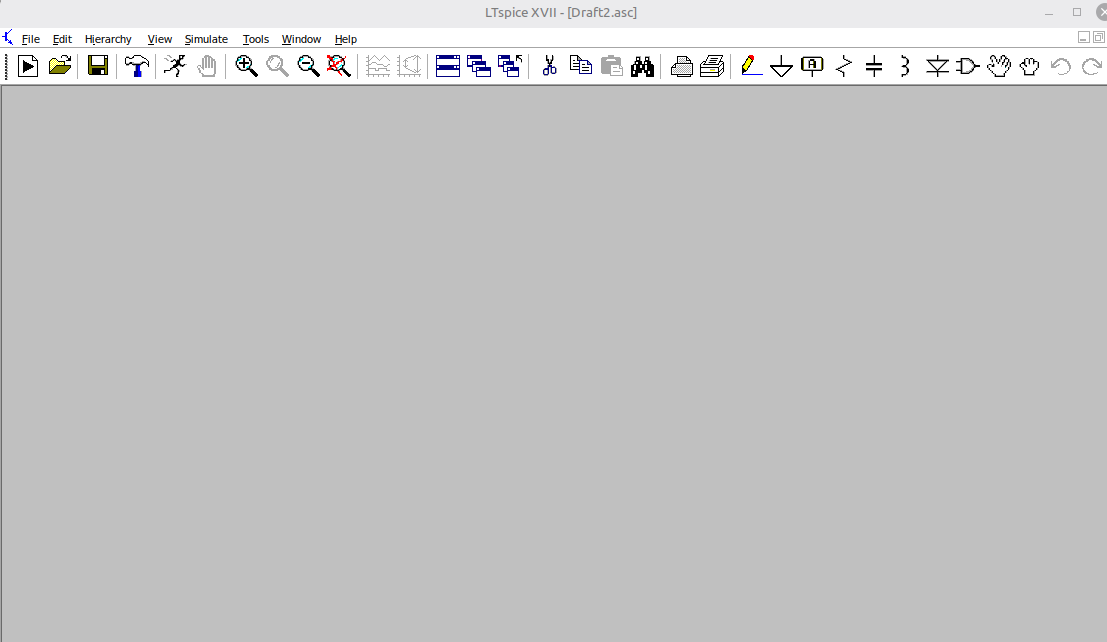 |
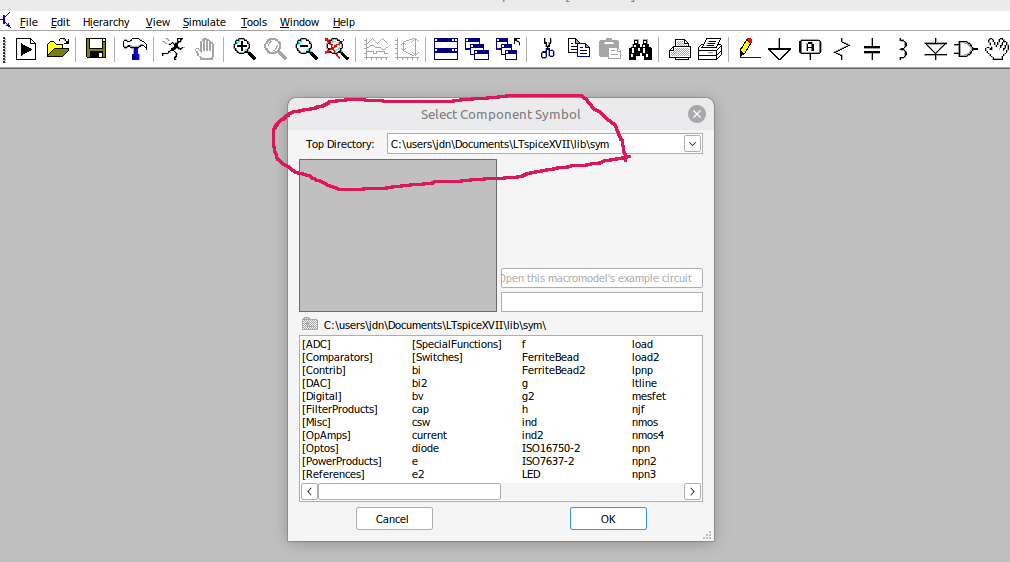
Add a simple component - press the symbol
 |
You can now see the path to your ltspice library folder in the red circle
 |
And I can see the following in my lib folder
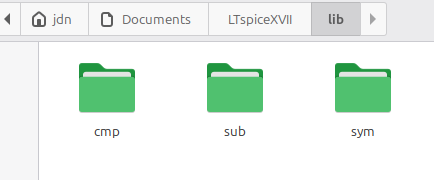 |
Simple components like BJT , FETS, resistors etc are all described in folder lib/cmp - cmp short for components
In lib/cmp you will find
standard.bead binary propritary comp file
standard.bjt BJTs
standard.cap Capacitors
standard.dio Diodes
standard.ind Inductors binary propritary comp file
standard.jft JFET
standard.mos MOSFET
standard.res Resistors
you can find my files just below
Src folder list: here
Simple component example: BC549B
In lib/cmp/standard.bjt
.MODEL BC549B NPN(IS=4.679E-14 ISE=2.642f ISC=2.337E-14 XTI=3 BF=458.7 BR=11.57 IKF=0.1371 IKR=0.1144 XTB=1.5
VAF=52.64 VAR=364.5 VJE=0.5591 VJC=0.1994 RE=0.2598 RC=1 RB=1 RBM=1 IRB=1E-06 CJE=1.229E-11 CJC=4.42p XCJC=0.6193
FC=0.7936 NF=1.01 NR=1.019 NE=1.581 NC=1.164 MJE=0.3385 MJC=0.2782 TF=4.689E-10 TR=1m2 ITF=0.8842 VTF=2.828
XTF=160 EG=1.11 VCEO=30 ICRATING=100m MFG=PHILIPS)
Adding a new simple component : bjt,jfet,mos.
Find a component model alike the above
Add it to the proper component file
standard.bjt for a BJT transistor
standard.jft for a JFET transisitor
etc
For component files
Src folder list: here
TL072 - an example
found on ltspice comp libs wiki
BJTs etc
LTSPICE
Some small comments for ltspice.
Getting new components - quick and dirty
Go to ltwiki fopr additional components
Find your new component (and files)
Follow instruction for the component for install
Copy <xxx>.sub to ltspice folder lib sub
Copy <xxx>.asy to ltspice folder lib sub
TL072 - an example
found on ltspice comp libs wiki
BJTs etc
Look here
from https://twiki.org
File:TL072.sub TL072 subcircuit. Place in \lib\sub
File:TL072.asy TL072 component. Place in \lib\sym\Opamps
File:Pweoverdrivepreamp2.asc Overdrive Preamp circuit, using native TL072
Datasheet Original files adapted from [2].
Testet on my own ltspice
Some of the components has slight different ways of install so read the wiki carefully
Jens
I did write this file.
As long as you retain this notice you can do whatever you want with this stuff on these pages.
If we meet some day, and you think this stuff is worth it, you can buy me a beer in return :-)
(C) JensD
credit for license this goes to the creator
